
Add a Person or Profile
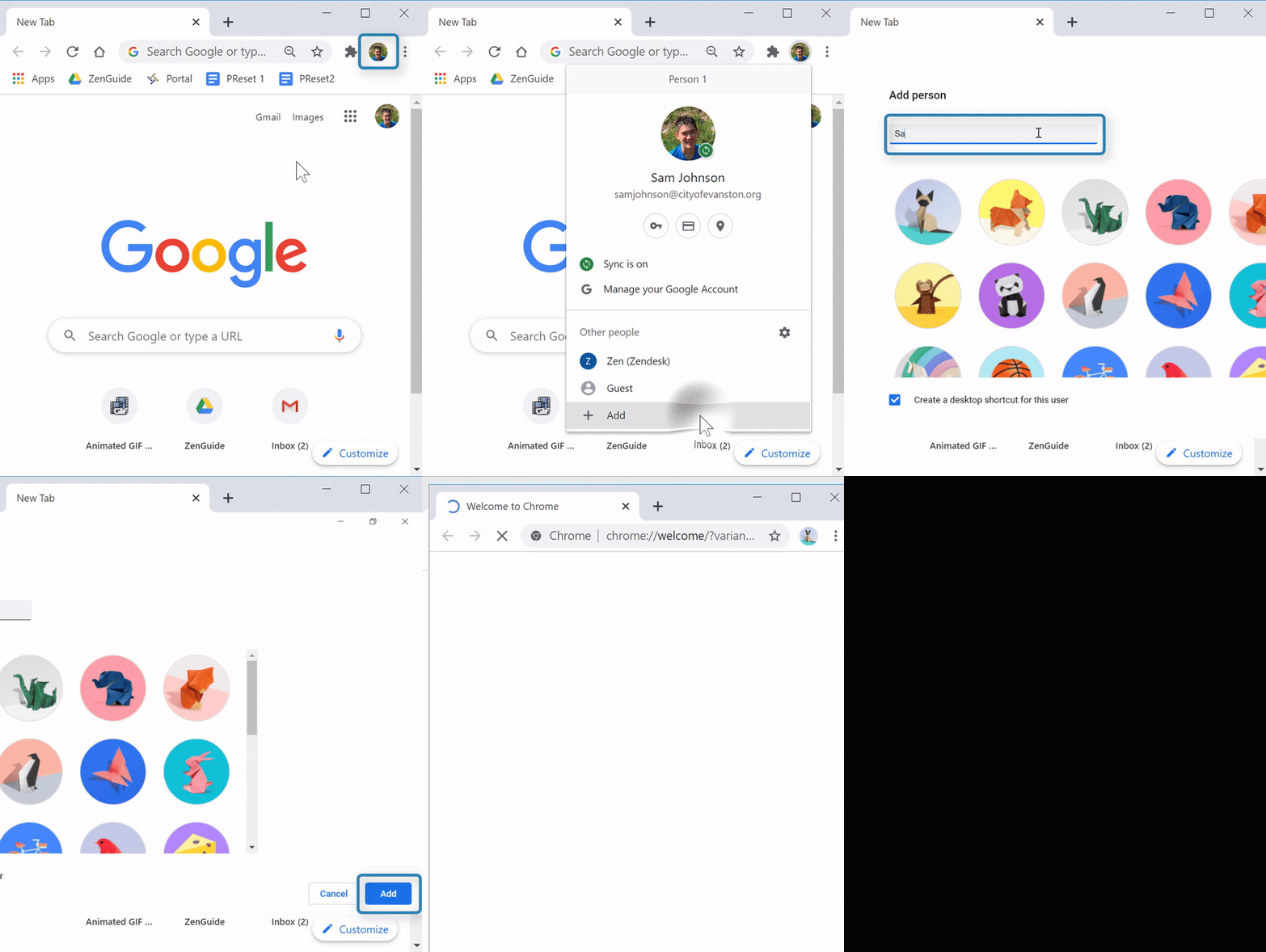
(Video Loading)
Steps
1. Open Chrome 
2. Select the profile icon  from the top right corner
3. Select "Add" 
4. Enter the name 
5. Select an image
6. Select Add 
Switch to Another Person or Profile
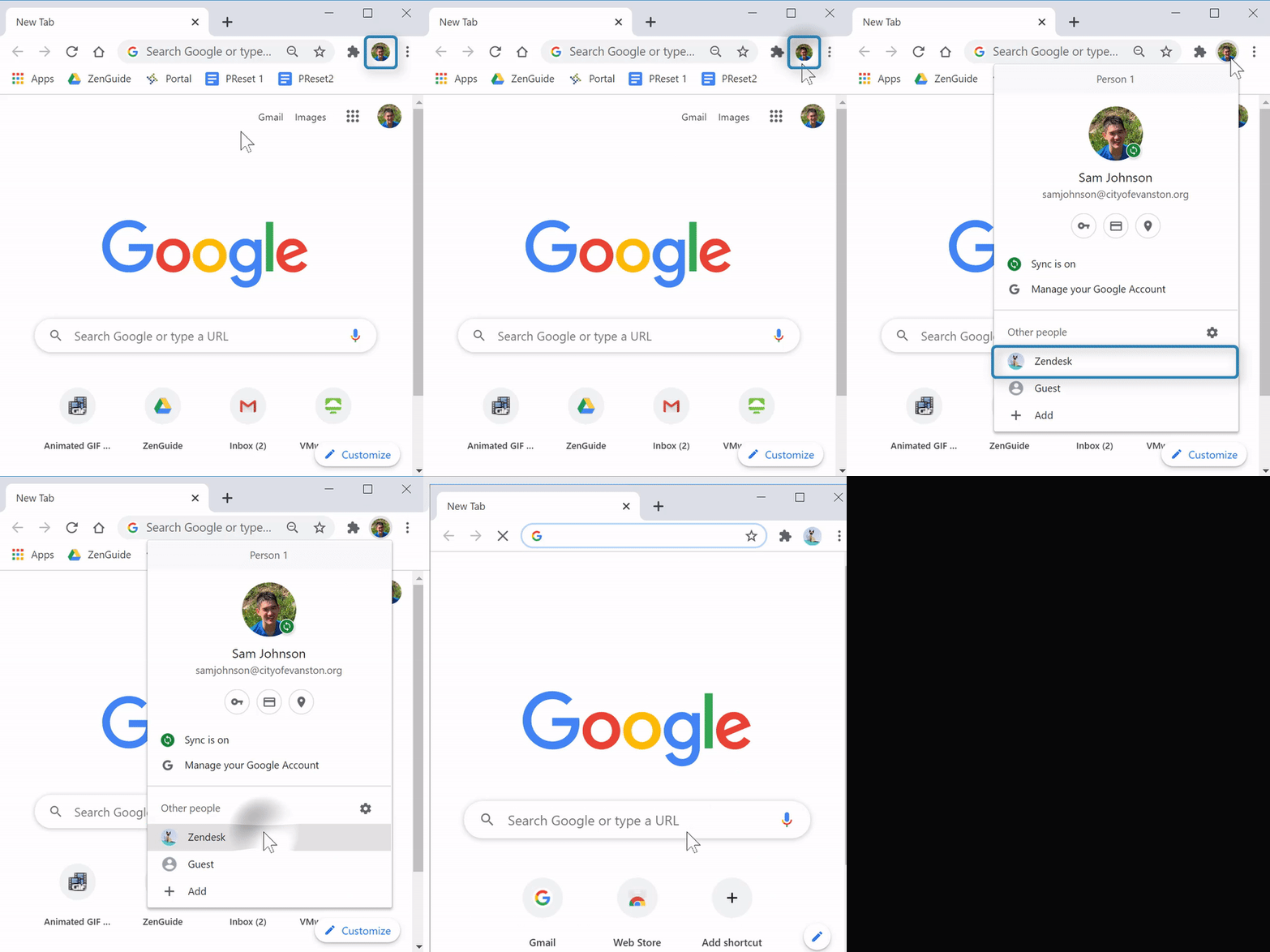
(Video Loading)
Steps
1. Open Chrome
2. Select the profile icon from the top right corner
3. Select the profile you want to switch to 
Remove a Person or Profile
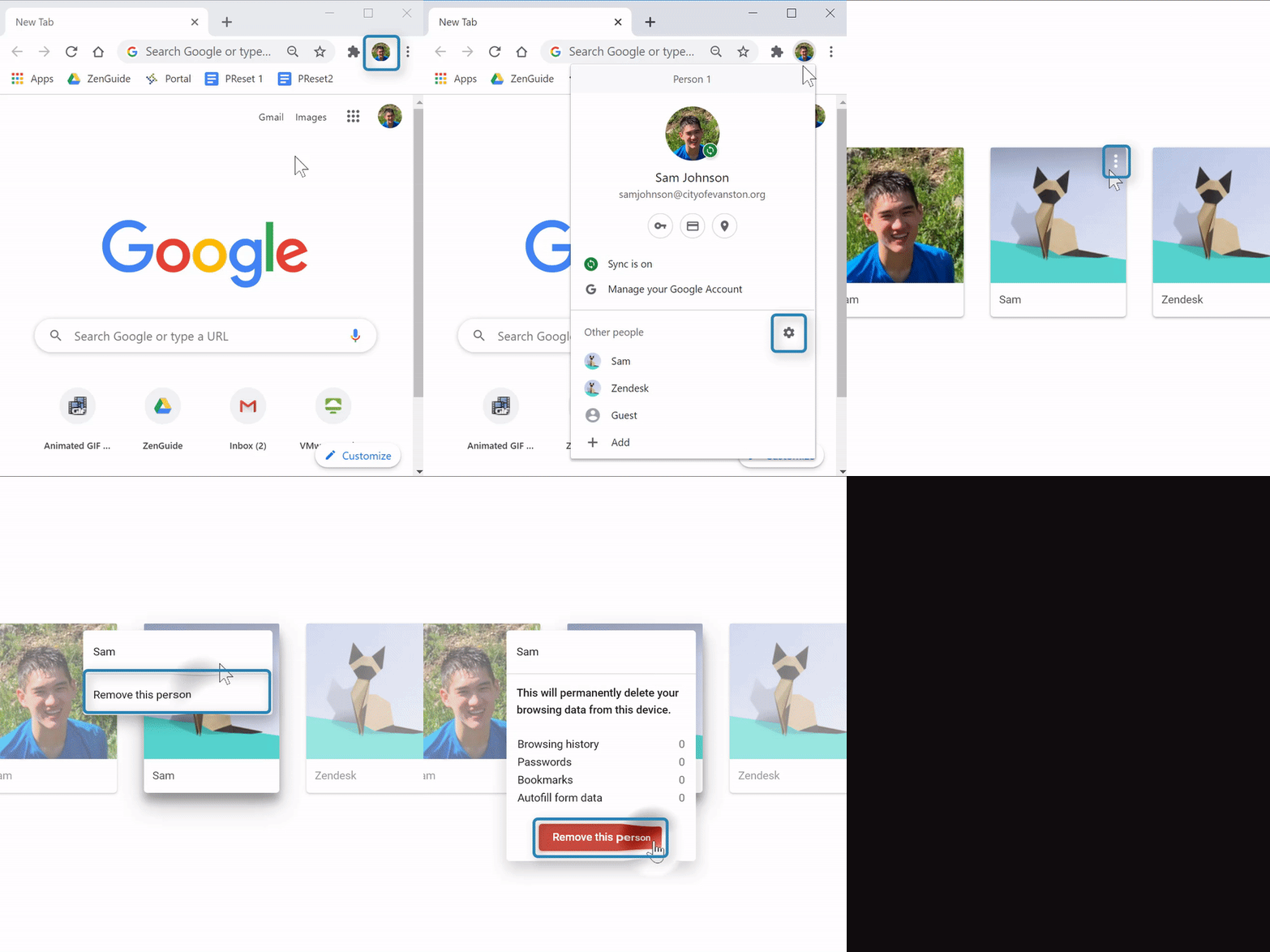
(Video Loading)
Steps
1. Open Chrome
2. Select the profile icon from the top right corner
3. Select the "Manage people" icon 
4. Hover over the profile to remove, then select the "Menu" icon  at the top right of their profile picture

5. Select "Remove this person"
6. Select "Remove this person" 
Helpful or Related Article(s):