
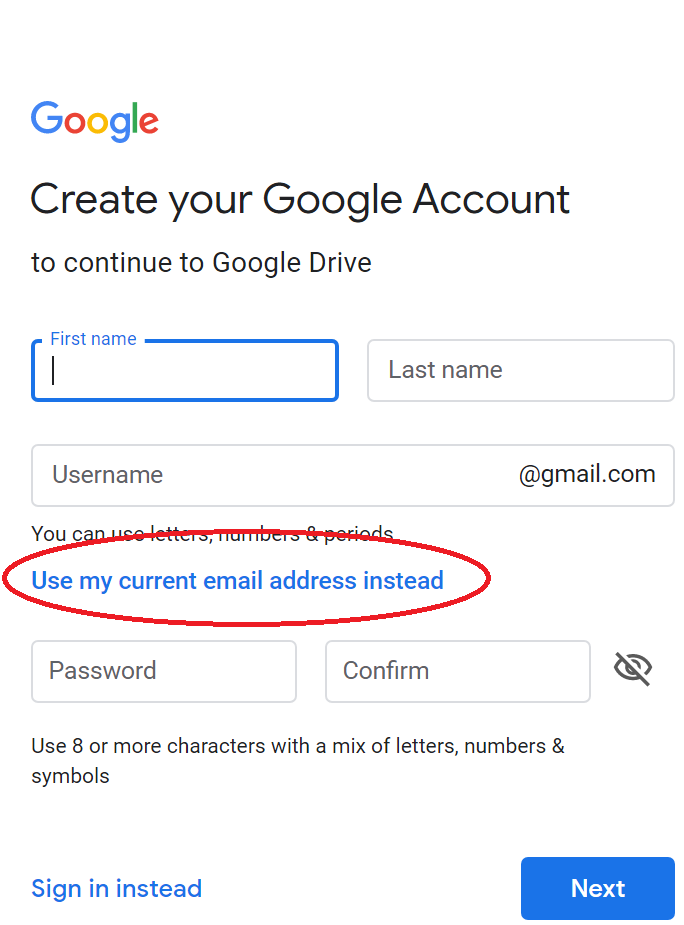
Use the table below to determine if the users you are sharing with will need a Google Account or not for your desired access. Create account - HERE
| Desired Access | They DO need a Google Account | They DON'T need a Google Account |
| View Access | X | |
| Edit Access | X | |
| Download Access | X | |
| Upload Access | X |
To create an account with a preexisting email, select "Use my current email address instead" when creating your account.
=======================================================
1. Go to drive.google.com
To share a new folder, continue following the steps below. To share an existing folder, skip to step 6.
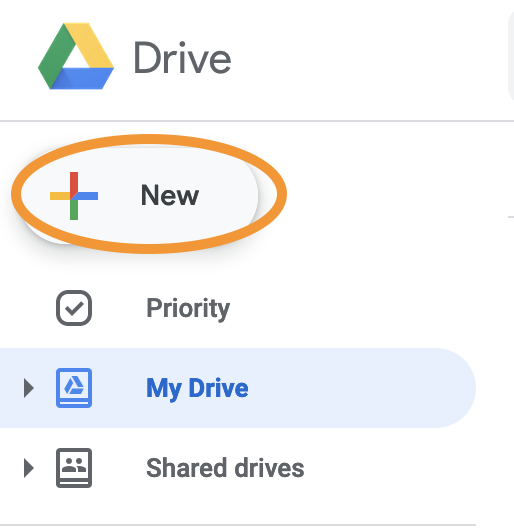
2. Select "New" in the upper left corner
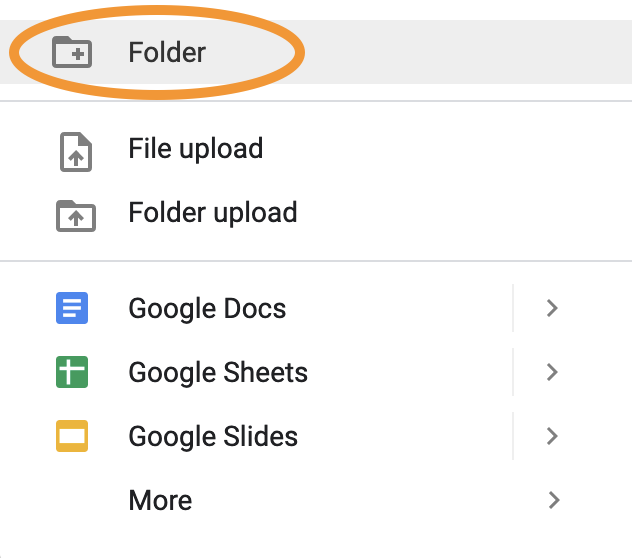
3. Select "New Folder" and type give it a name.
4. Type the folder name
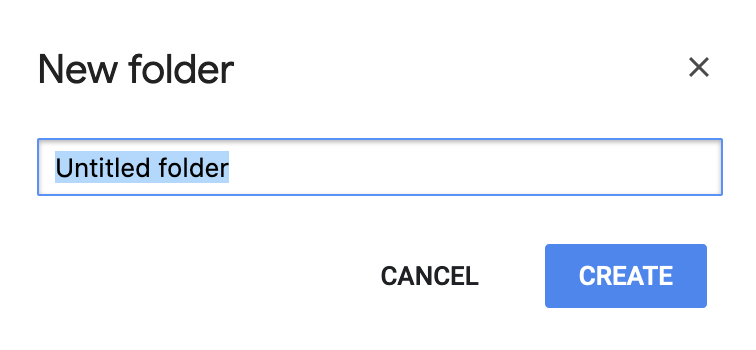
5. Select "Create"
6. Right click the folder, then select "Share" from the menu.
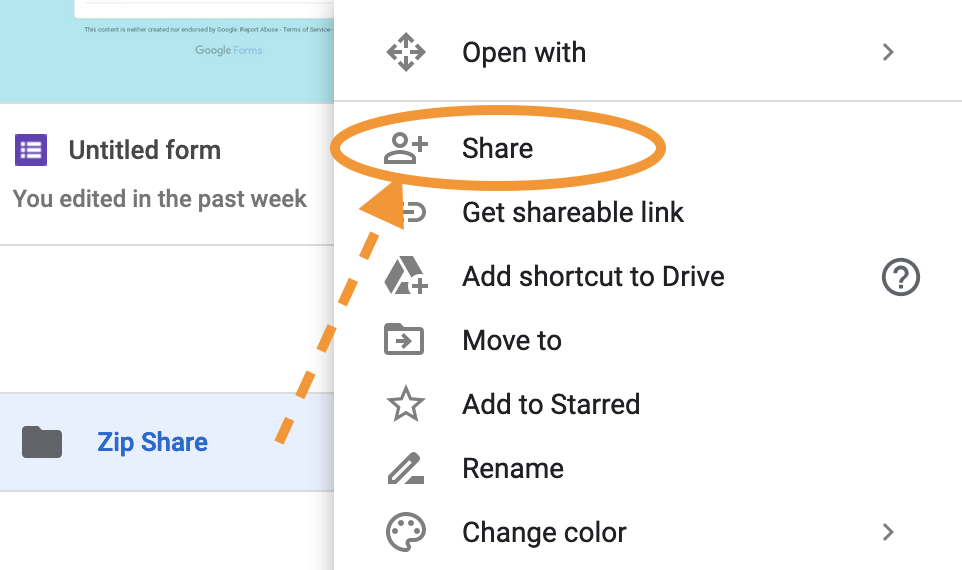
7. Select "Get link"
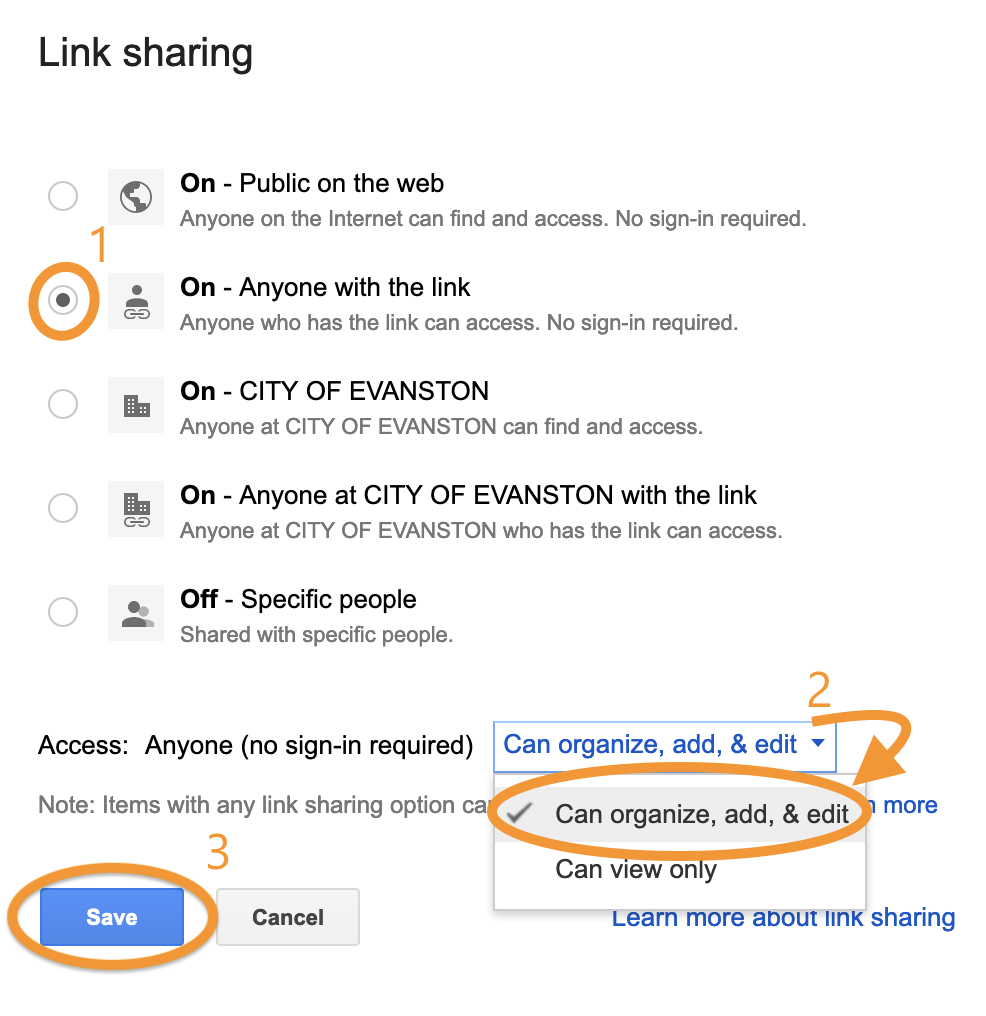
6. Click "On - Anyone with the link". Then, click the drop-down box and click "Can organize, add, & edit". Finally, click "Save".
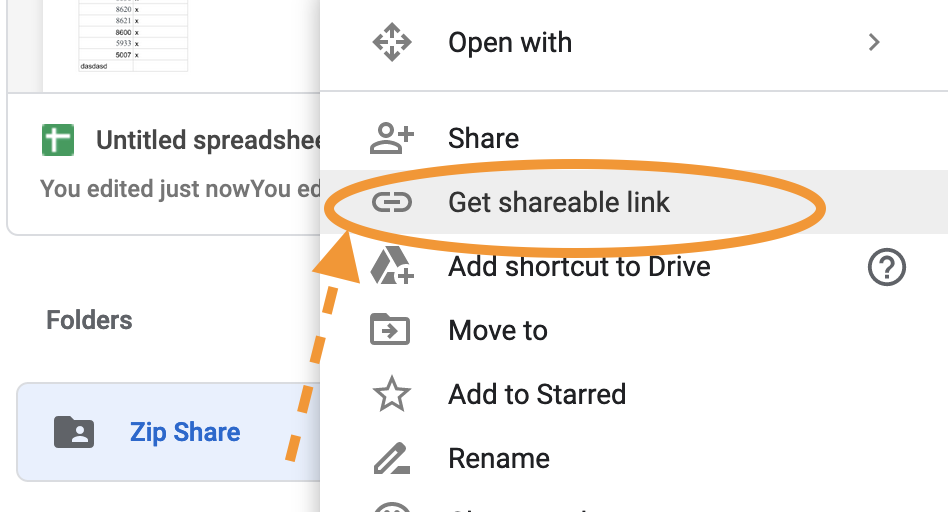
7.  Right click your folder, select "Get shareable link"
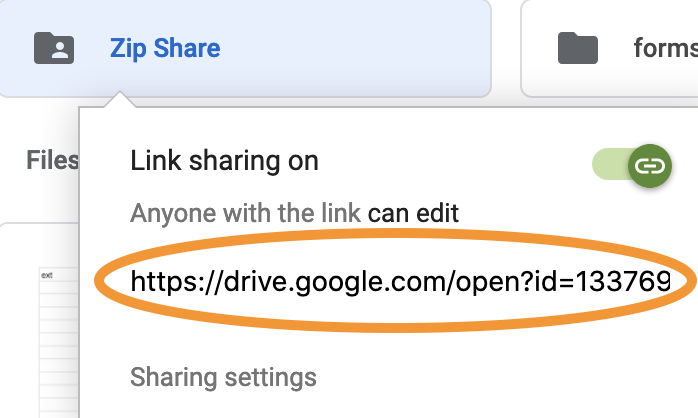
Need to test? Access the link with personal Email or an incognito window