
If you get married/divorced, sometimes your name will still indicate remnants that I.T. cannot remove. This is something that the user must change.

Steps:
1. Open Google.com
2. Select your profile picture in the top right corner
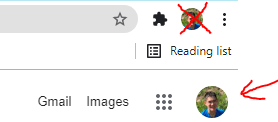
3. Select "Manage your Google Account" 
4. Select "Personal info" 
5. Under "Basic info" select "NAME" 
6. Login through your City of Evanston account
7. Type your new first name under "First name" 
8. Type your new last name under "Last name" 
9. Select "Save" 