
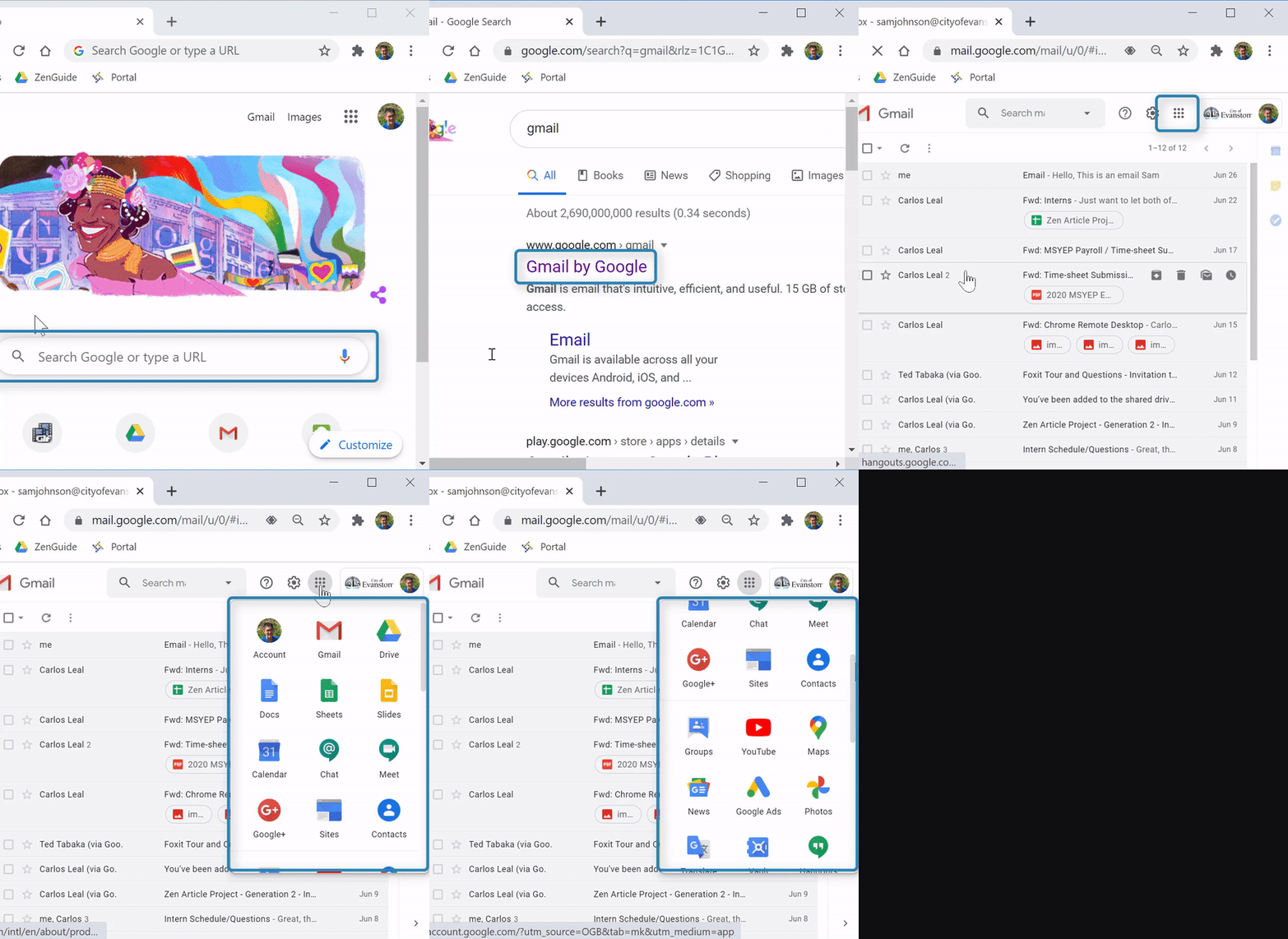
Your City of Evanston account gives you access to many Google applications. Once you're logged in, you can easily view all available apps.
(Video Loading)
Steps
1. Open a web browser 


2. Open Gmail 
3. Select the "Google apps" icon  at the top right
A pop-up will show many Google applications you can use. The most common are:
 Drive: This app saves all your files. For more info, see our Google Drive FAQ
 Docs: Similar to Microsoft Word, this app is used to create and edit documents
 Sheets: Similar to Microsoft Excel, this app is used to create and edit spreadsheets
 Slides: Similar to Microsoft PowerPoint, this app is used to create and edit presentations
 Calendar: This app can add events to different calendars, invite others to events, and share calendars with others