
Import From Computer
(Video Loading)
Steps
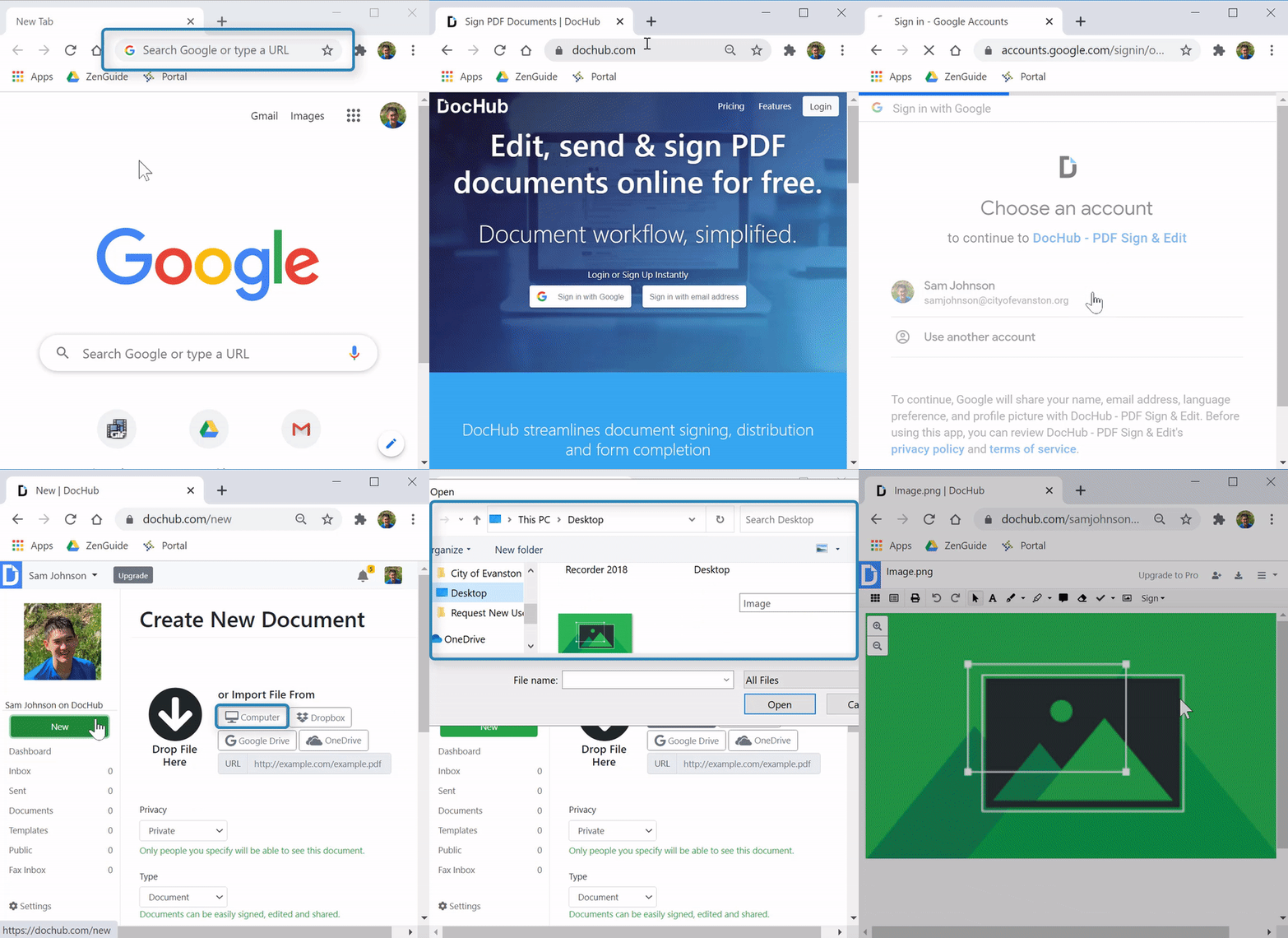
1. Open a web browser 


2. Enter "dochub.com" into the search bar 
3. Sign in with your account if necessary (see related article here) 
4. Select "New"  from the left menu
5. Under "or Import File From," select "Computer" 
6. Locate and select desired file
7. Select "Open" 
Import From Google Drive
(Video Loading)
Steps
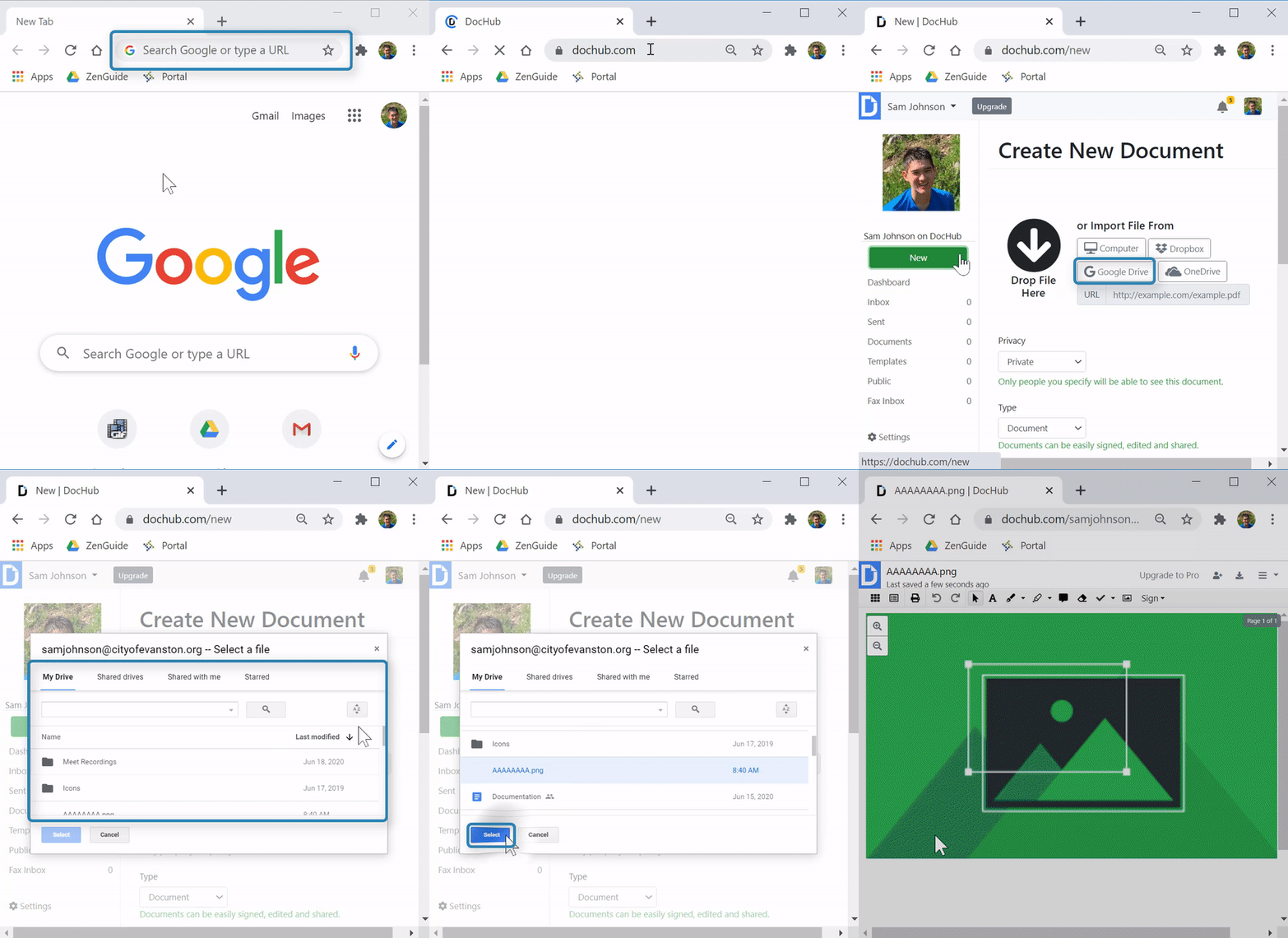
1. Open a web browser
2. Enter "dochub.com" into the search bar
3. Sign in with your account if necessary (see article here)
4. Select "New" from the left menu
5. Under "or Import File From," select "Google Drive" 
6. Sign in (You should only have to do this the first time)
- Enter email 
- Select "Next" 
- Enter your username 
- Enter your password
- Check "Remember me" 
- Select "Sign in" 
- Select "Allow" for both requests

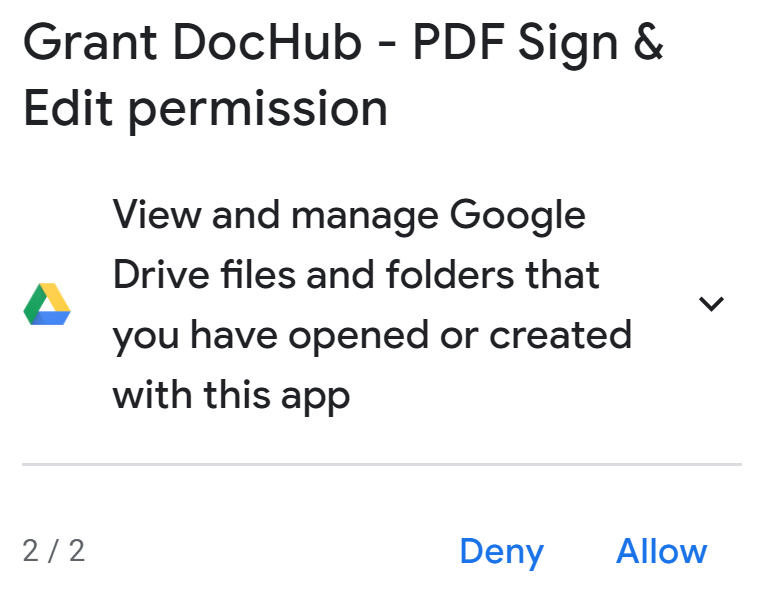
- Select "Allow" 
7. Locate and select desired file
8. Select "Select" 
Helpful or Related Article(s):