
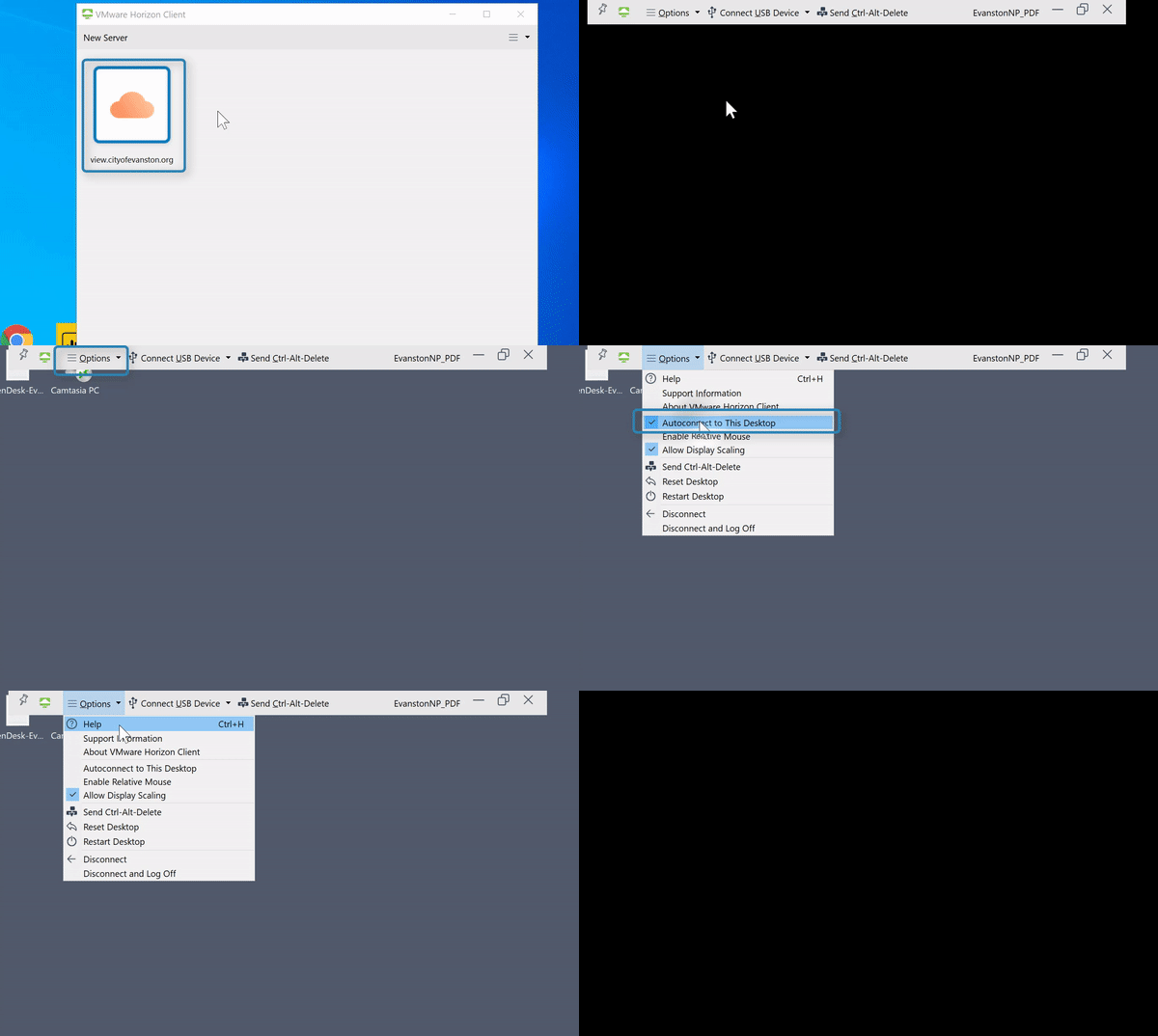
(Video loading)
Steps
1. Open your virtual desktop with VMware Horizon Client 
2. Locate the application's menu bar. If does not appear at the top of the screen, move the cursor to the top of screen and it will slide down

3. Select "Options" 
4. Select "Autoconnect to This Desktop" to un-check it 