
On the login menu (reboot WYSE or log off virtual desktop or use CNTRL + ALT + F12 )
Steps
1. Select "OK" or "Accept"
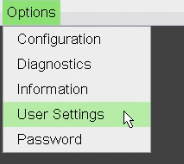
2. Select "Options" in the top left
3. Select "User Settings"
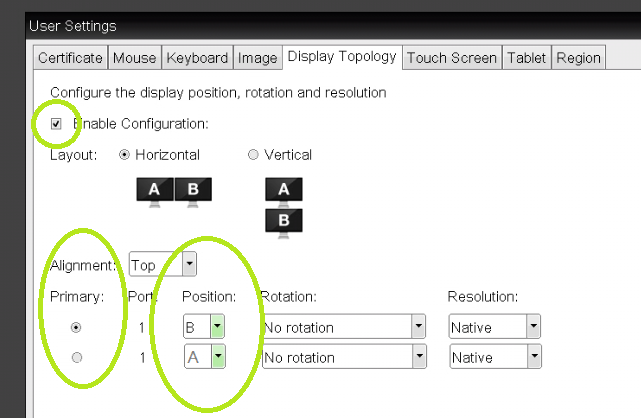
4. Select the "Display Topology" tab

5. Enable Configuration , should be check marked.
- Change the 'Primary radio button'
- Change the 'Position' drop down
Open an IT ticket if you have further questions.