
Incognito Mode allows you to browse privately and can help with fixing some issues going on in your browser. Below are instructions on how to use private browsing in Google Chrome, Firefox, and Microsoft Edge.
Google Chrome
Steps
1. Open "Google Chrome" 
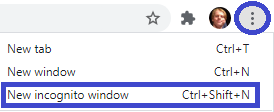
2. Select the menu button in the top right of the screen and select "New incognito window"
3. If necessary, attempt the task you were unable to complete before going into incognito
Mozilla Firefox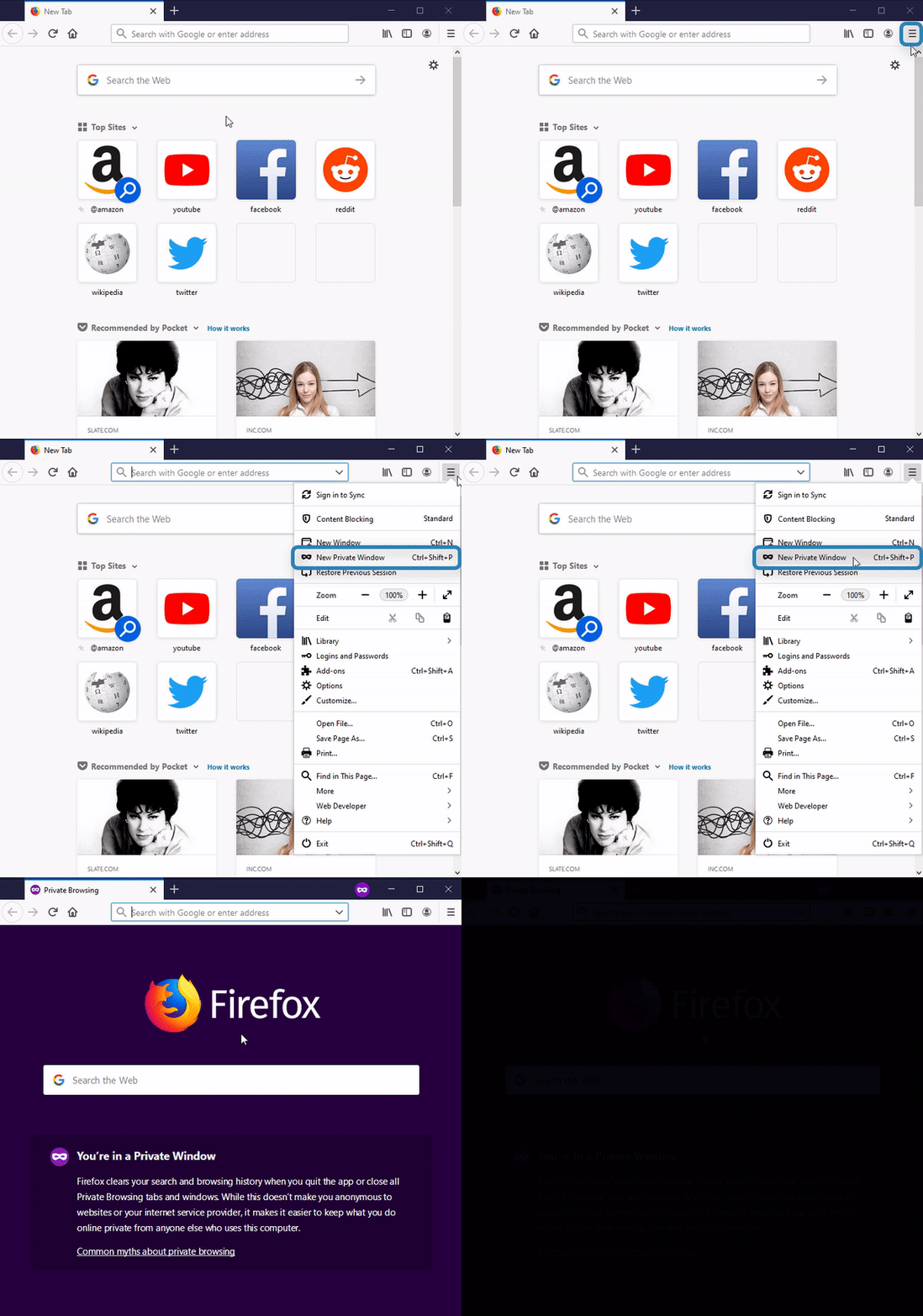
Steps
1. Open "Firefox" 
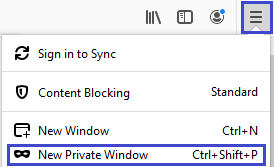
2. Select the menu button in the top right of the screen and select "New Private Window"
3. If necessary, attempt the task you were unable to complete before going into incognito
Microsoft Edge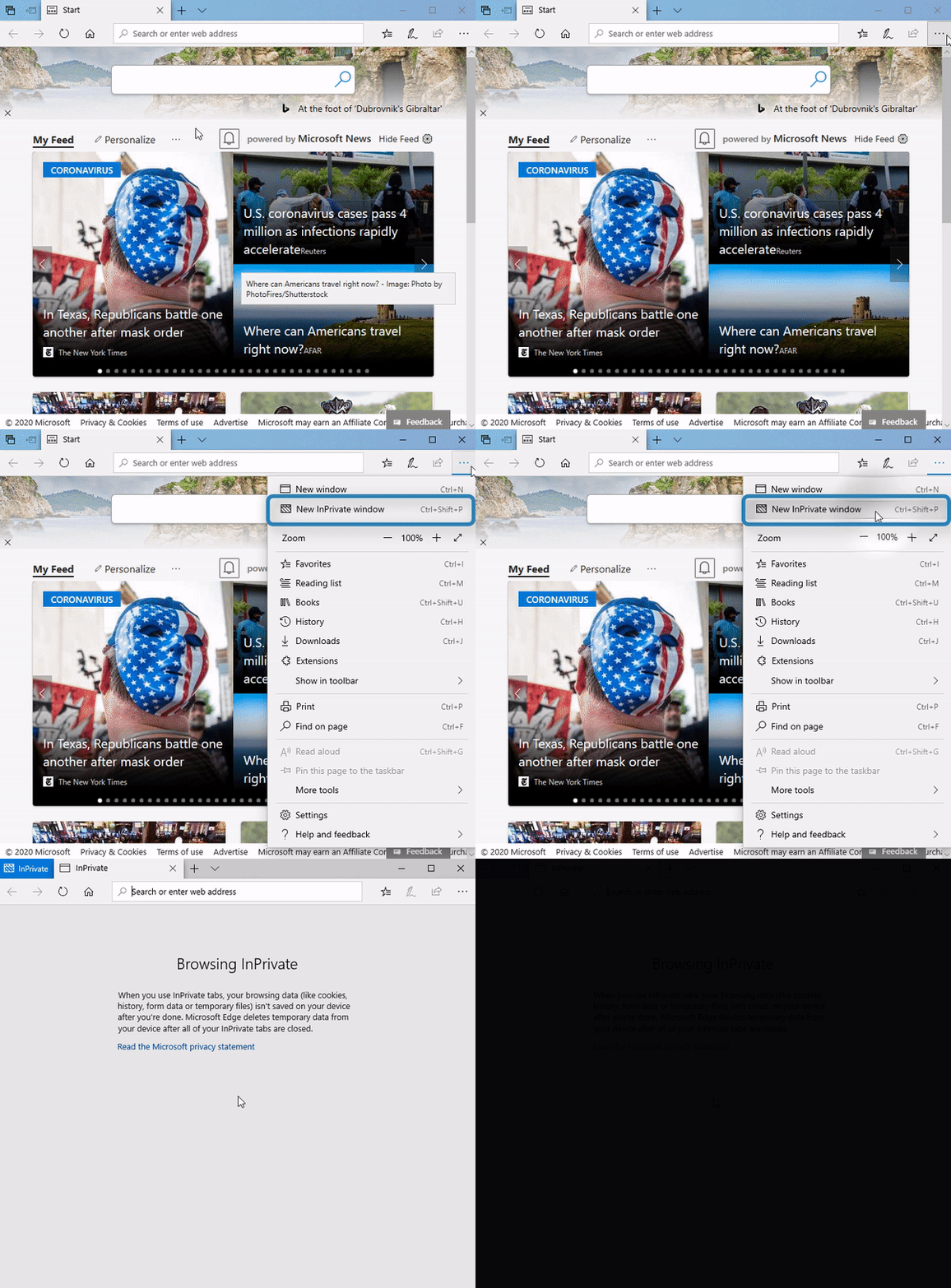
Steps
1. Open "Microsoft Edge" 
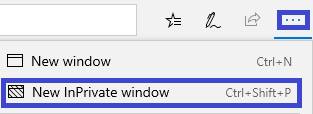
2. Select the menu button in the top right of the screen and select "New InPrivate window"
3. If necessary, attempt the task you were unable to complete before going into incognito