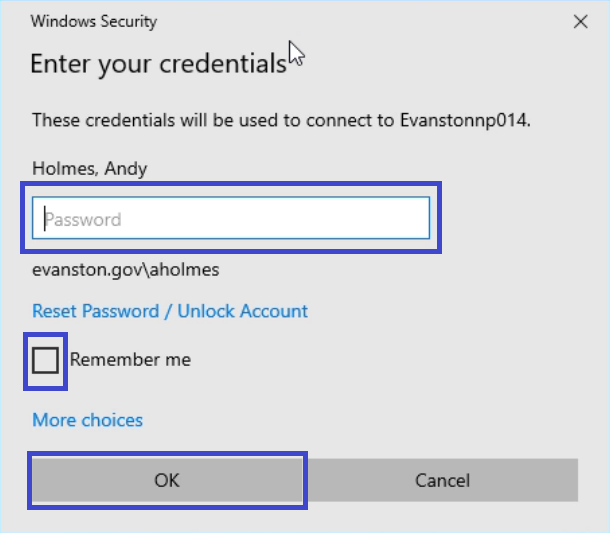
*Prerequisite - You MUST be logged into a virtual desktop BEFORE logging into your 'Physical' desktop
*Your desktop MUST be turned on
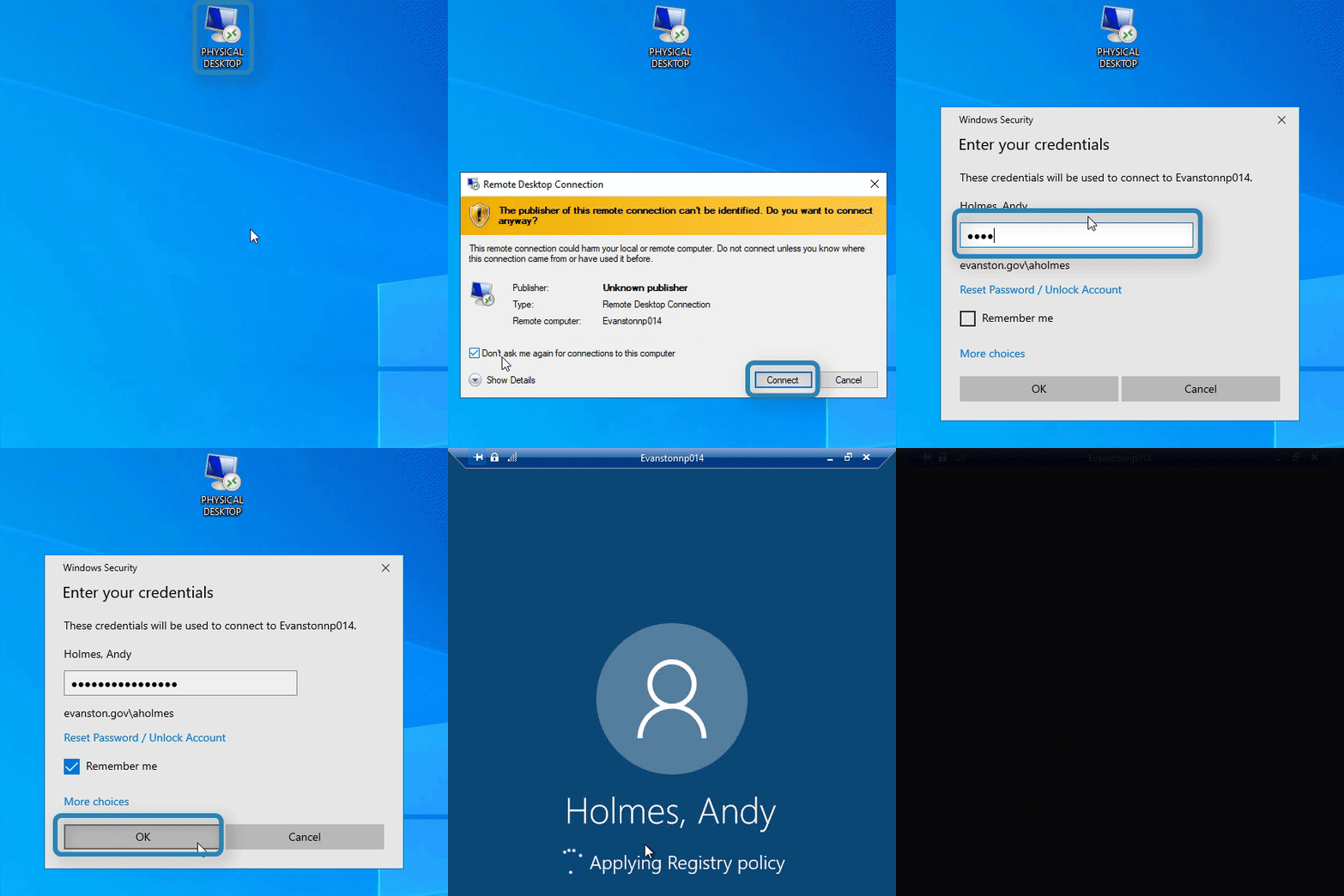
Log into your remote desktop, you should find the following icon that looks like "PHYSICAL DESKTOP", below:
1. Select "Physical Desktop"

*If you don't see this icon on the desktop, please submit a request to the ITHelpdesk for a "Remote Desktop Shortcut"
2. Select "Don't ask me again for connections to this computer" and select “Connect” 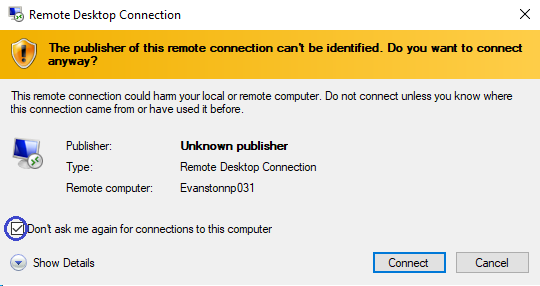
3. Enter your current desktop password, select "Remember me", then select "Ok"