
How to access voicemail remotely
You might not need to forward your phone, you might just need to check voicemail remotely.
---
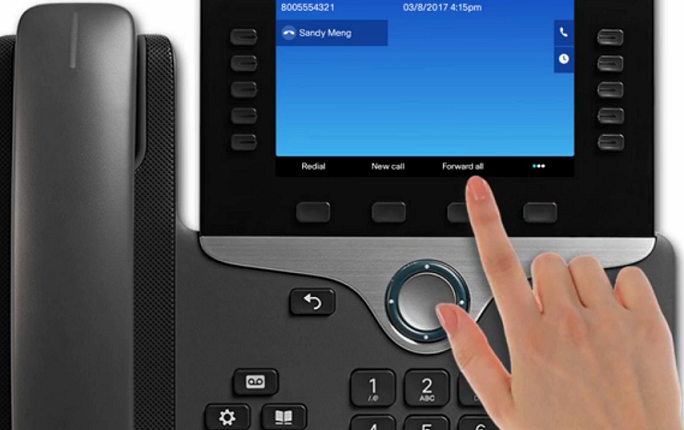
1. Select the line on your phone you need forwarded
2. Select 'Forward All' from the selection menu (Redial - New Call - Forward All - ... )
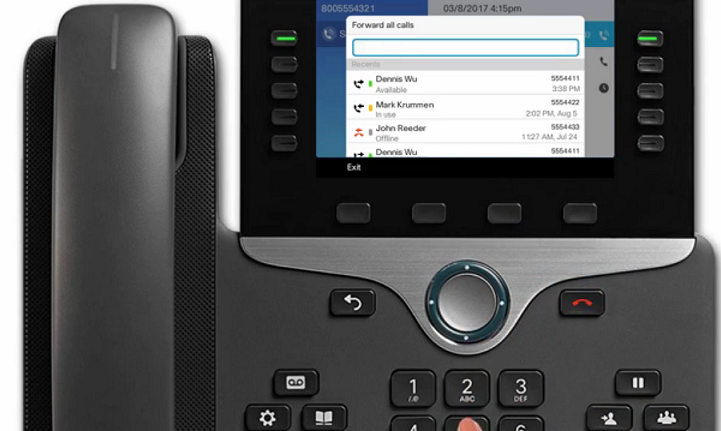
3. Enter the number you'd like to forward calls to. Normal Dial out rules apply, you must use 91 before the area code and number
example, 918474487807
If you do not see 'Forward All' or 'FWD ALL' , please open an IT ticket. We can manually forward your line, your phone might need configuration reviewed. For older model phones, only the first line can be forwarded.