New World allows access to purchase and invoice information. This article will explain how to give purchasing and invoices rights and permissions to users.
Any New World accounts are broken up into a specific sequence of numbers. This breakdown is helpful to understand when assigning rights.
416.40.4160.62145
416 = Fund
40 = Department
4160 = Business Unit
62145 = Expense or Revenues Account
The article is broken up into two parts. User-based permissions and process manager rights. The first part of this setup gives the user the right to view the account. The second part of assigning rights will enable the user to process and enter in invoices and permissions.
Step 1:
- Go to website "http://coenw-as2/Logos/" NEW: https://yvwlnnw042962.tylertech.com/logos/
- The system will log you in.
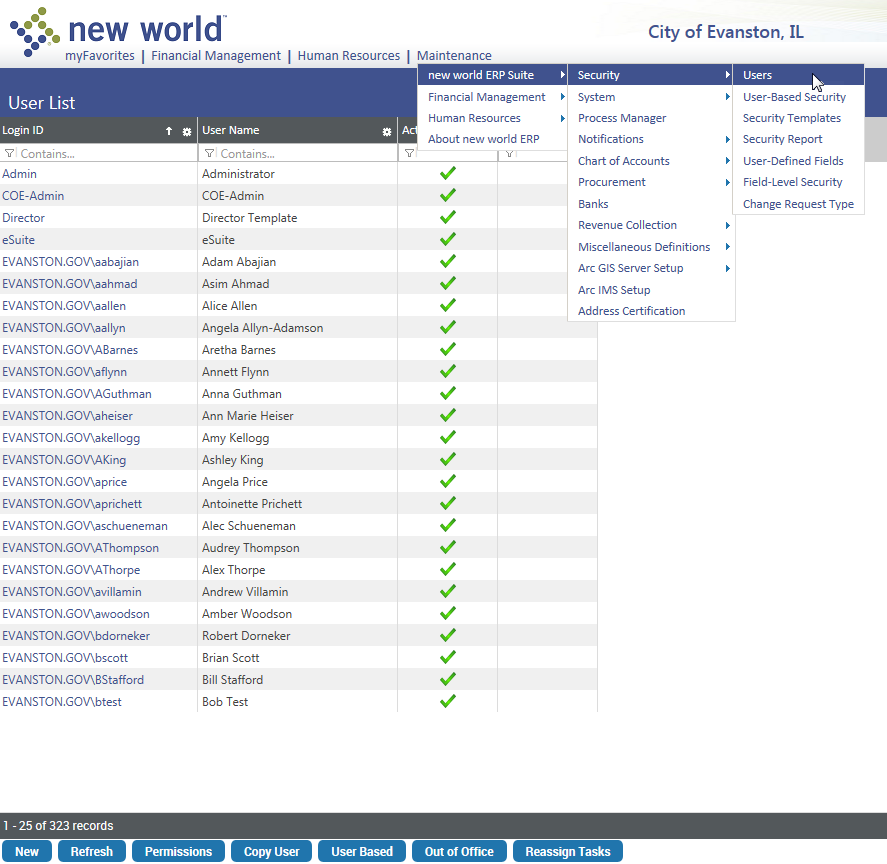
- "Maintenance" Menu > "new world ERP Suite" Sub-Menu > "Security" Sub-Menu > "Users" Sub-Menu
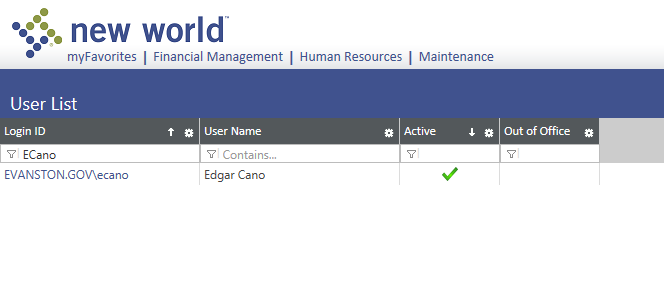
- Search for the user.
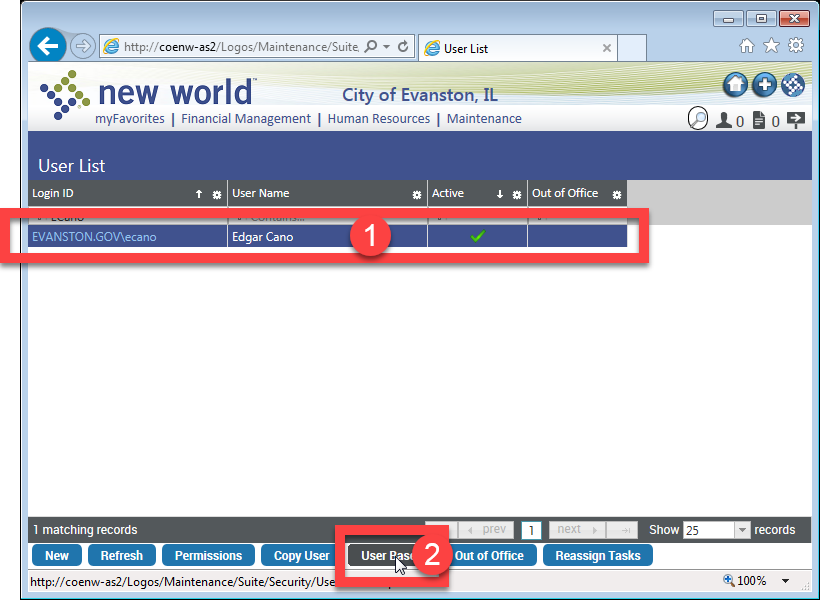
- Select the account and click on "User Based" button.
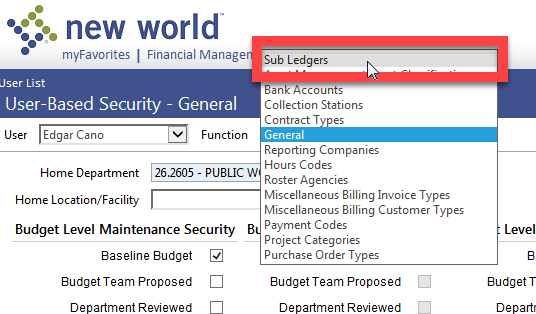
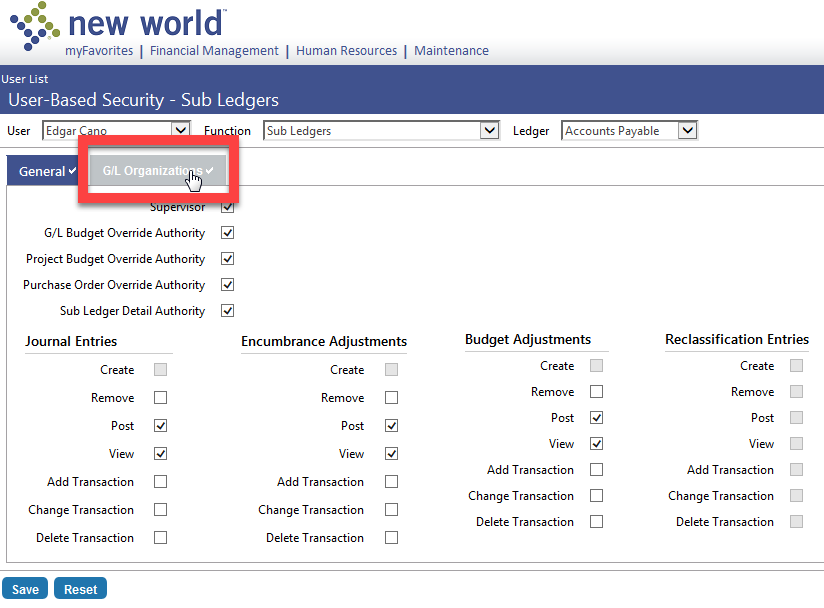
- Go to "Function" drop-down. And select "Sub Ledgers".
- Select "G/L Organization" tab.
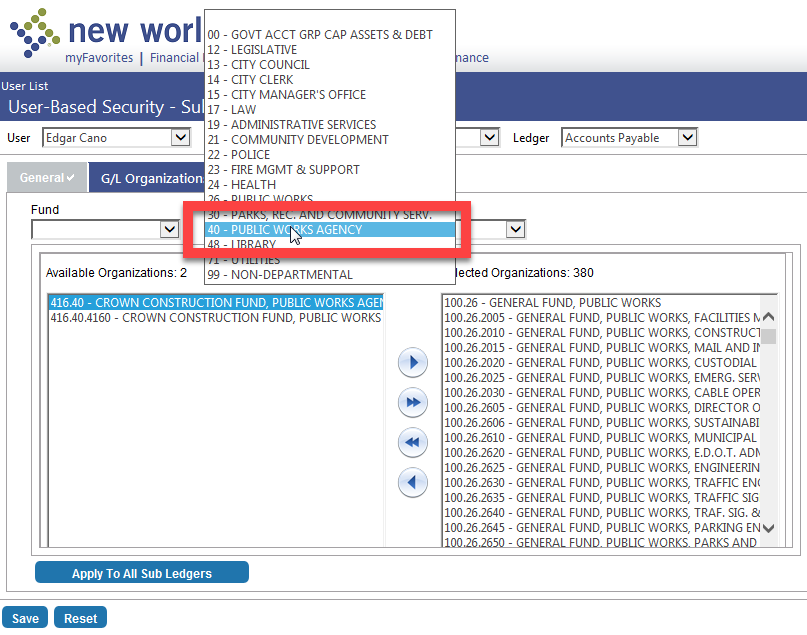
- Select the "Fund", "Department", or "Business Unit" to limit the permission search.
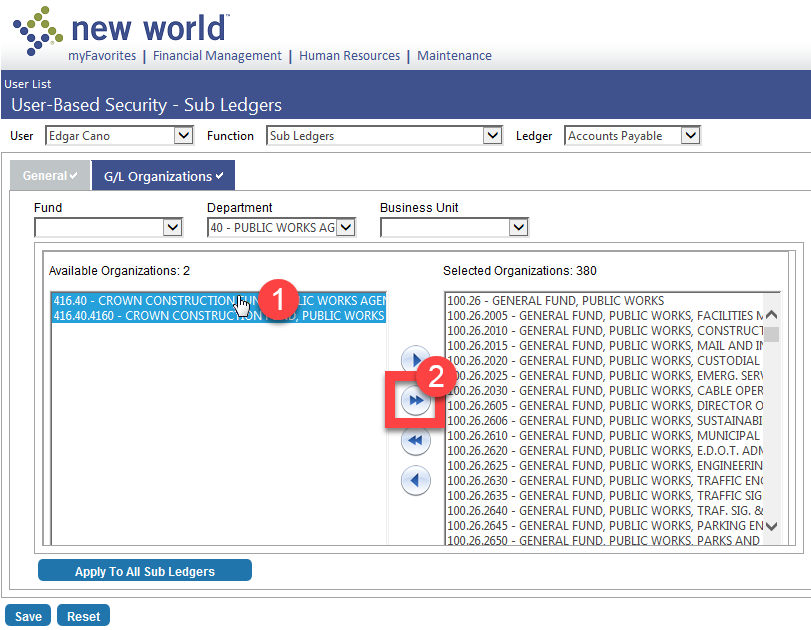
- Move "Available Organizations" to "Selected Organization"
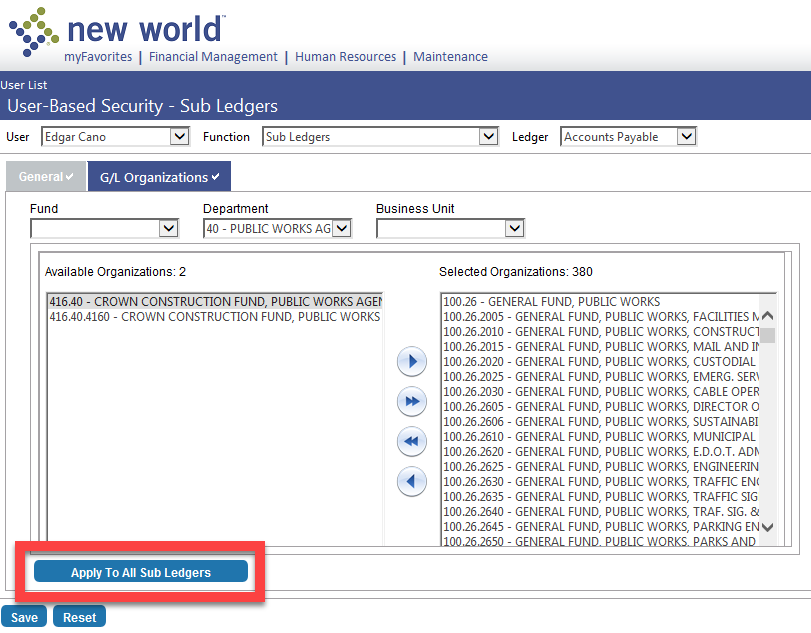
- Select "Apply to All Sub Ledgers" button.
- "Save" button.
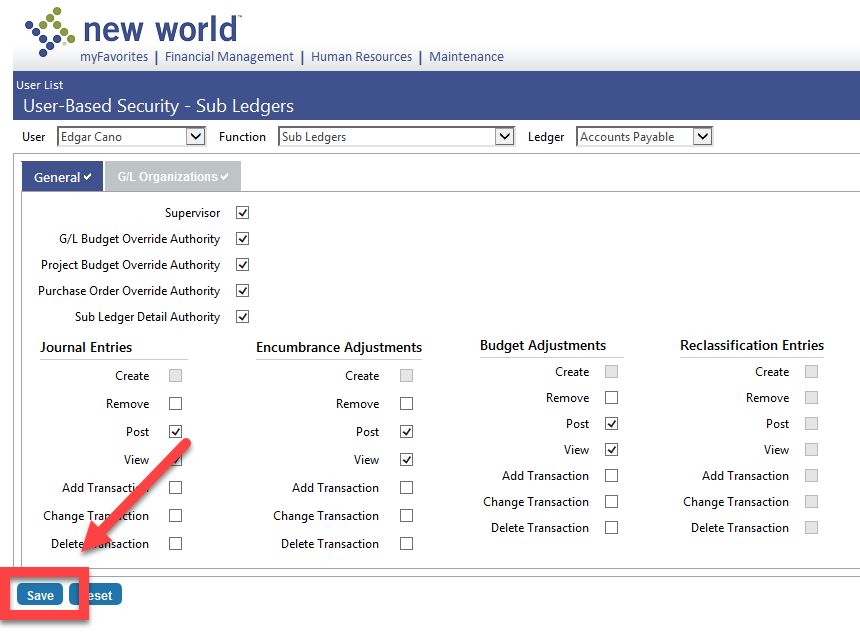
Step 2:
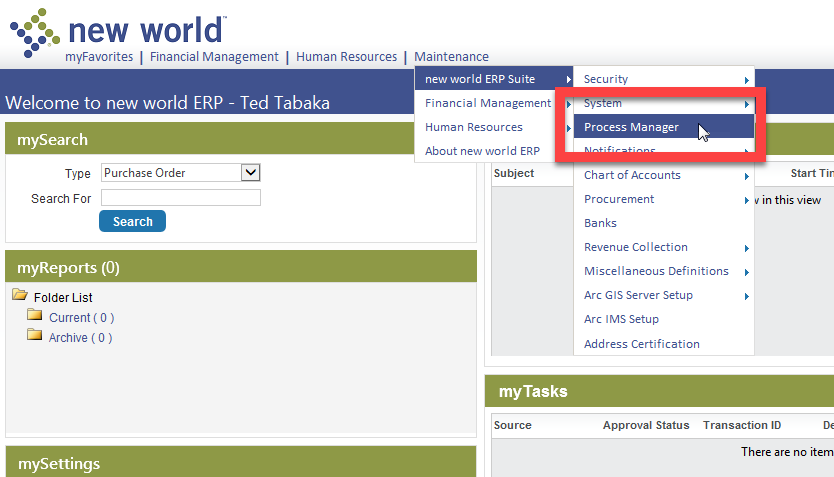
- Go to "Maintenance" Menu > "new world ERP Suite" Sub-Menu > "Process Manager" Sub-Menu.
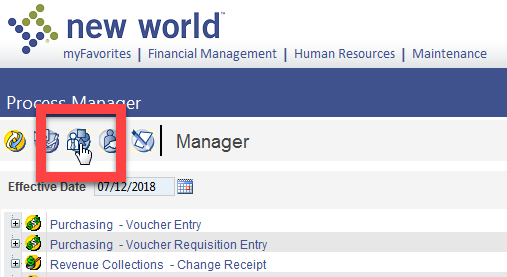
- Click on "Manager" Button
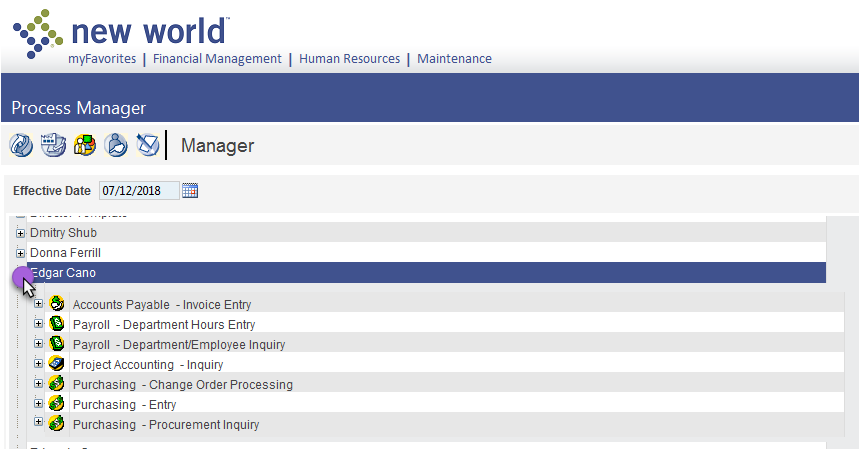
- Scroll down to the user that you want to give processing privelages and expand them.
- Select/highlight each required fields. This will need to be done for each section that will allow the user to process and see changes in New World.
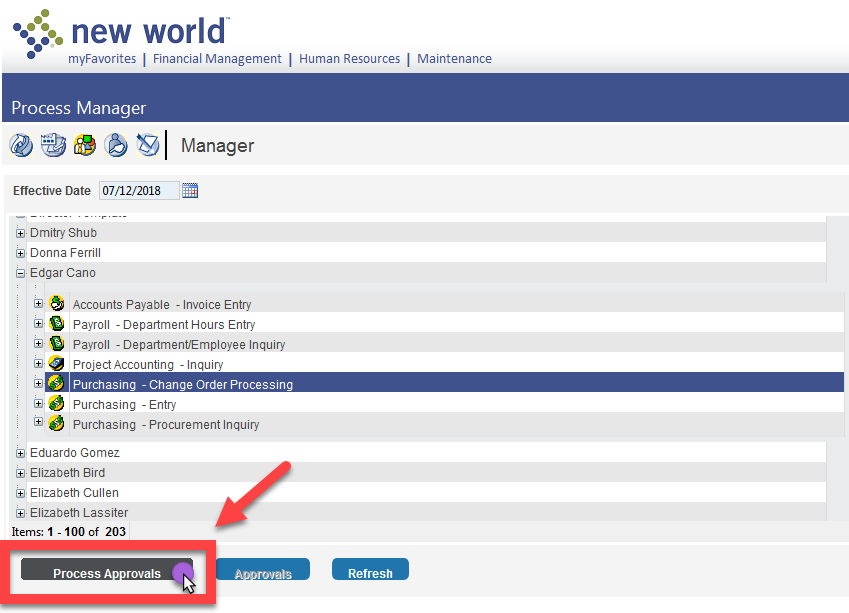
- IE: "Purchasing - Change Order Processing"
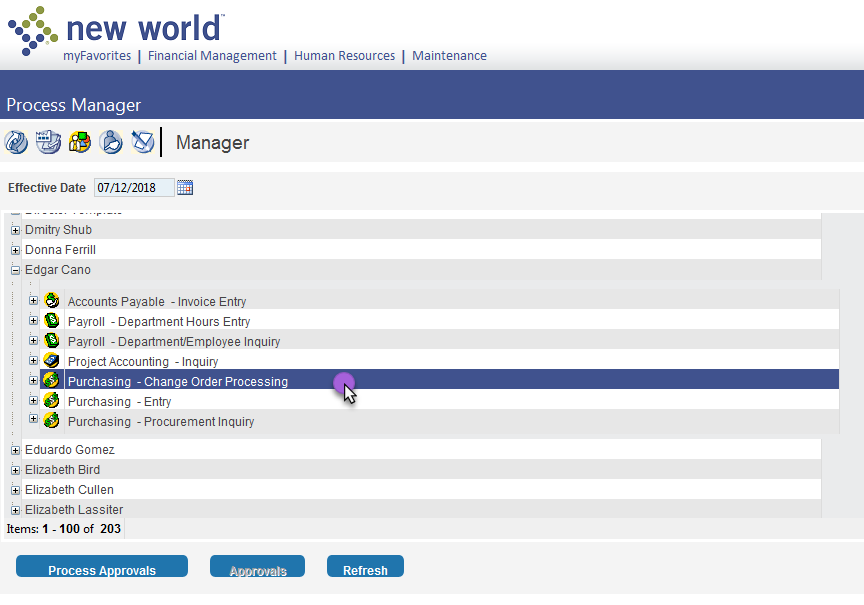
- "Process Approvals" Button > This will open a new screen.
- Under "Approval Level" drop down. > Select the appropriate level and this will depend on what is requested.
- IE: "Division Head (Level - 2)"
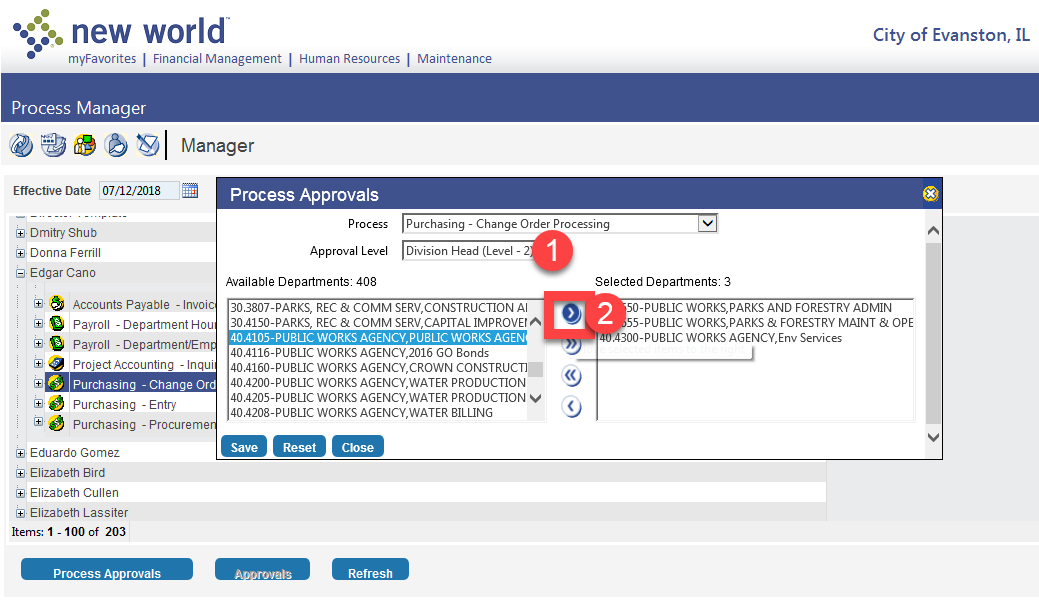
- "Save" Button and then "Close" Button.
- Repeat this process with each entry. The above was an example, and permissions of which should be applied should be given by staff members that are requesting access to New World.