
Have you ever forgotten your network password or locked your account?
Great news! The City of Evanston now has a self-service password tool, “ADSelfService Plus,” to help you reset your network password or unlock your account on your own.
Enroll now! It's very easy and you’ll get to choose your verification method:
- Security questions (such as mother’s maiden name) plus one personalized question/answer you write
- Verification code sent to your personal email address
- Google Authenticator App
Enrolling for the Password Reset Tool:
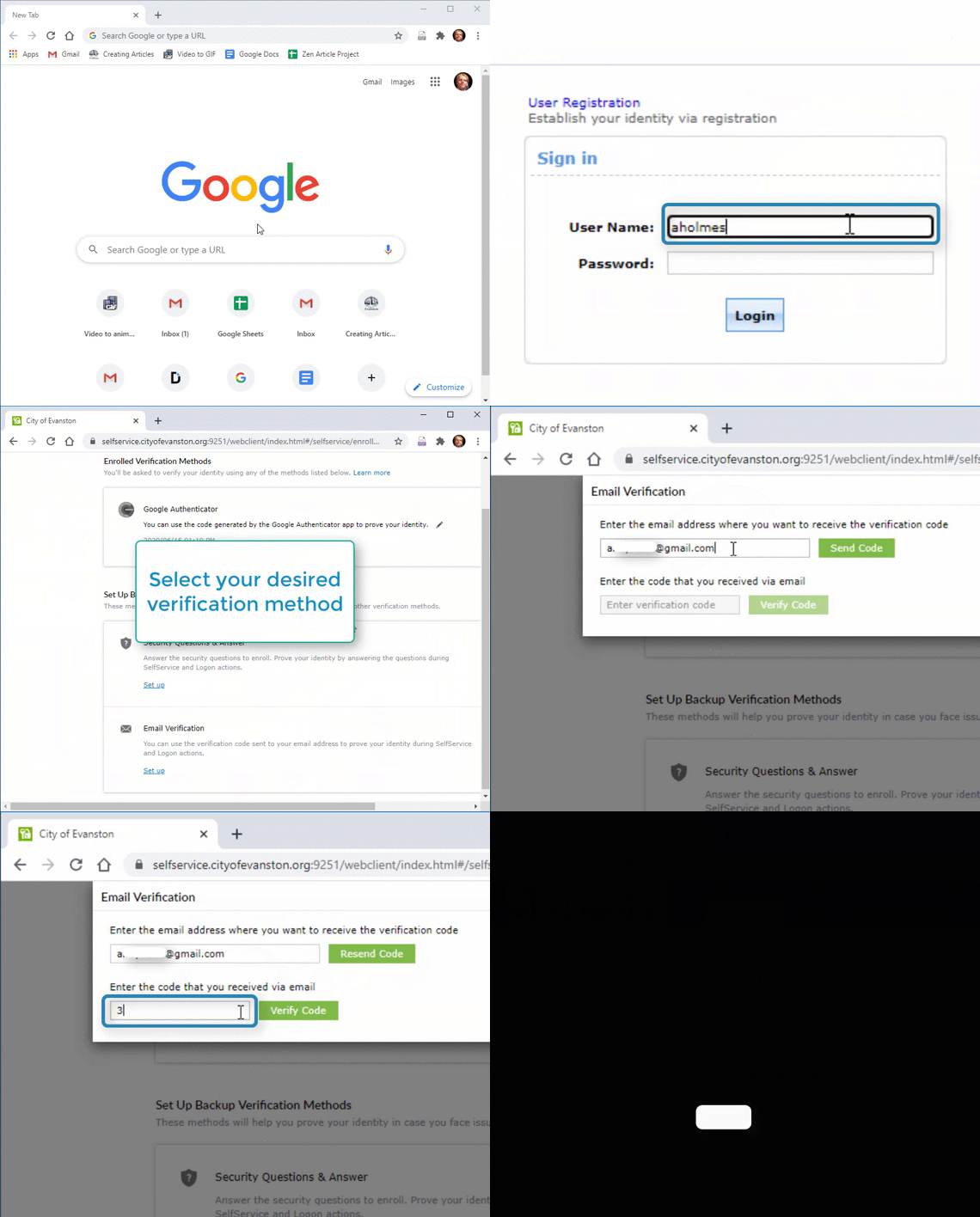
Enroll using a desktop computer, virtual desktop, smartphone or tablet:
1. Enter https://selfservice.cityofevanston.org:9251/ in the address bar
2. Enter your username and password and select “Login” 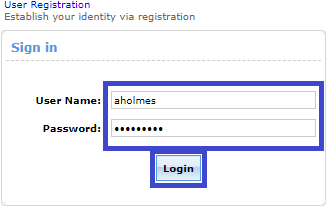
3. Select your verification method and enter the appropriate information
You may either send the self-service link to your personal email address or write it down for use if you’re locked out of the network. You may contact IT help desk or 311 during our normal business hours for the self-service link.
Virtual desktop users: After you enroll, please download the ADSelfService Plus app from your app store so it will be in place before you are locked out.
**You would benefit by saving the URL on your phone, or send a link to your personal email address for quick referencing. You can also sign up using more than one security method.
Using the Password Reset Tool:
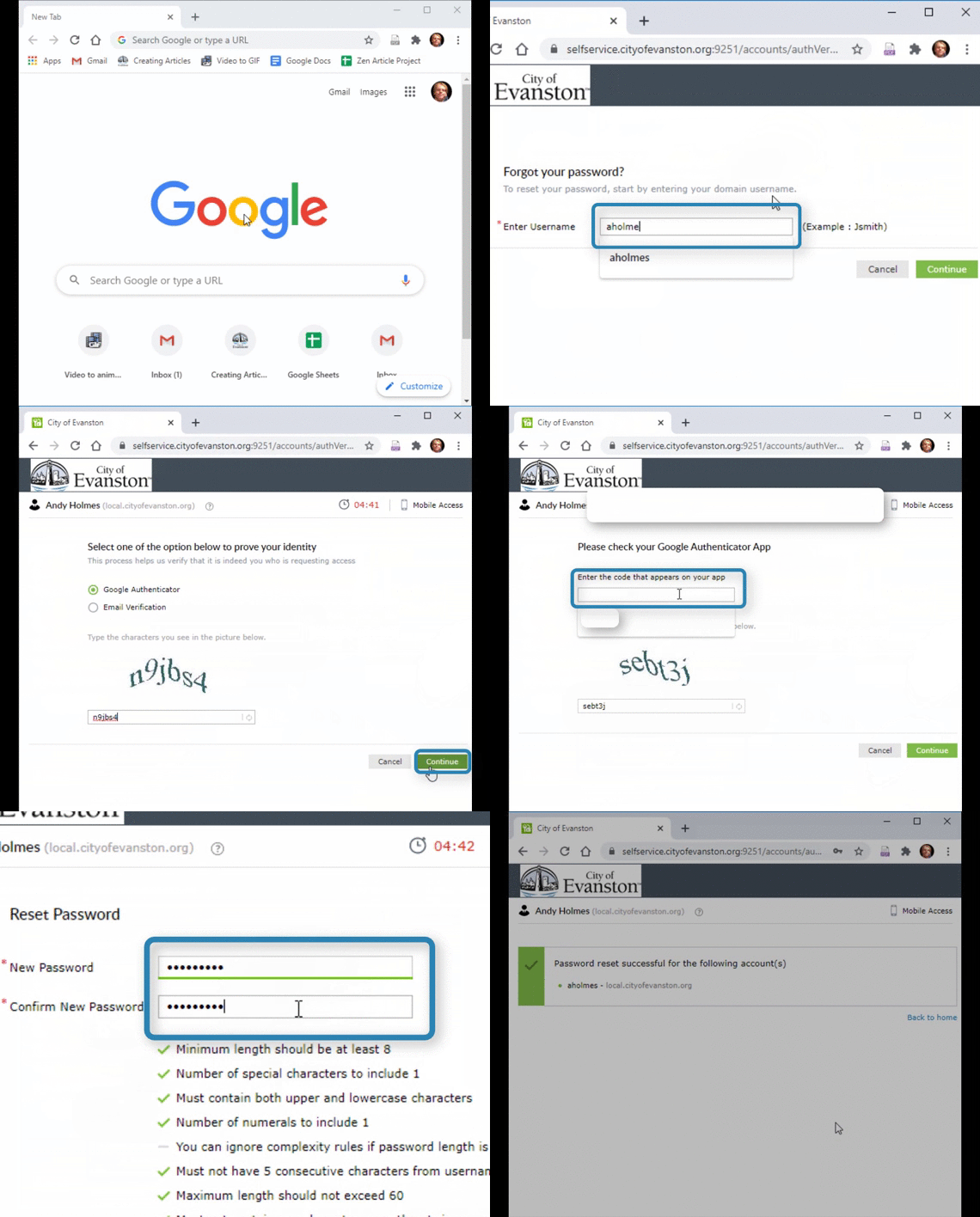
1. Enter “https://selfservice.cityofevanston.org:9251/” in the address bar
It is recommended you save this link on your smartphone, tablet, or personal email.
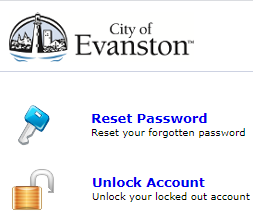
2. Select “Reset Password” or Unlock Account”
3. Select your verification method and you can proceed with either of the above options
If you have any questions, please email the IT Help Desk at ithelpdesk@cityofevanston.org.
Helpful or Related Article(s):
- Sign into City of Evanston Email
- How to Reset your Password with a Temporary Password (Offsite)