What is Two-Factor Authentication?
Two-factor authentication provides a second layer of security to any type of login, requiring extra information or a physical device to log in, in addition to your password.
By requiring two different channels of authentication, we can protect user logins from remote attacks that may exploit stolen usernames and passwords.
You may already be using two-factor authentication to log into personal online services such as your bank, credit card provider, or medical service's customer portal.
Who is DUO?

DUO is the name of our two factor authentication platform. Emails from: no-reply@duosecurity.com are safe to access. The registration email will look similar to the one below:

Registration for DUO Two Factor
There are two ways to register
1. Follow the registration link via your email. If no enrollment email, you can email ithlpdesk@cityofevanston.org and ask for a DUO enrollment email to be sent
2. Register using the force login prompt (this activates automatically on any city computer, if you are not registered at the time of login)
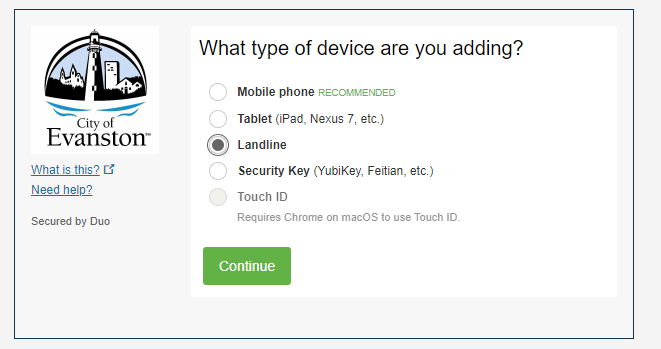
DUO User Registration Screen (pictured below)
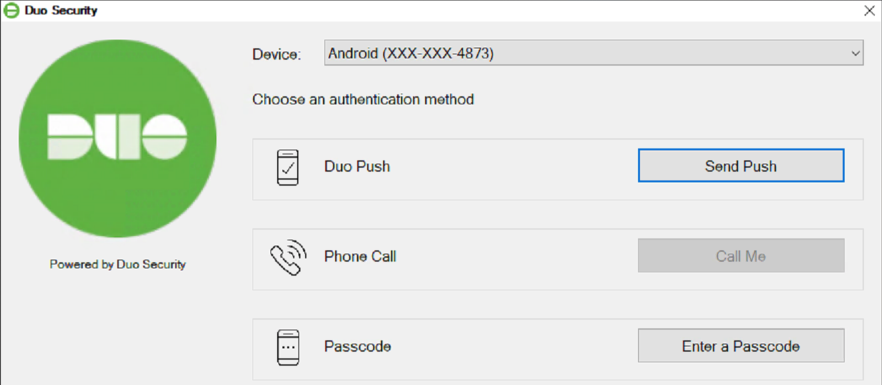
Two factor Login Screens
Physical Workstation/Laptop
Google + Duo Login Screens
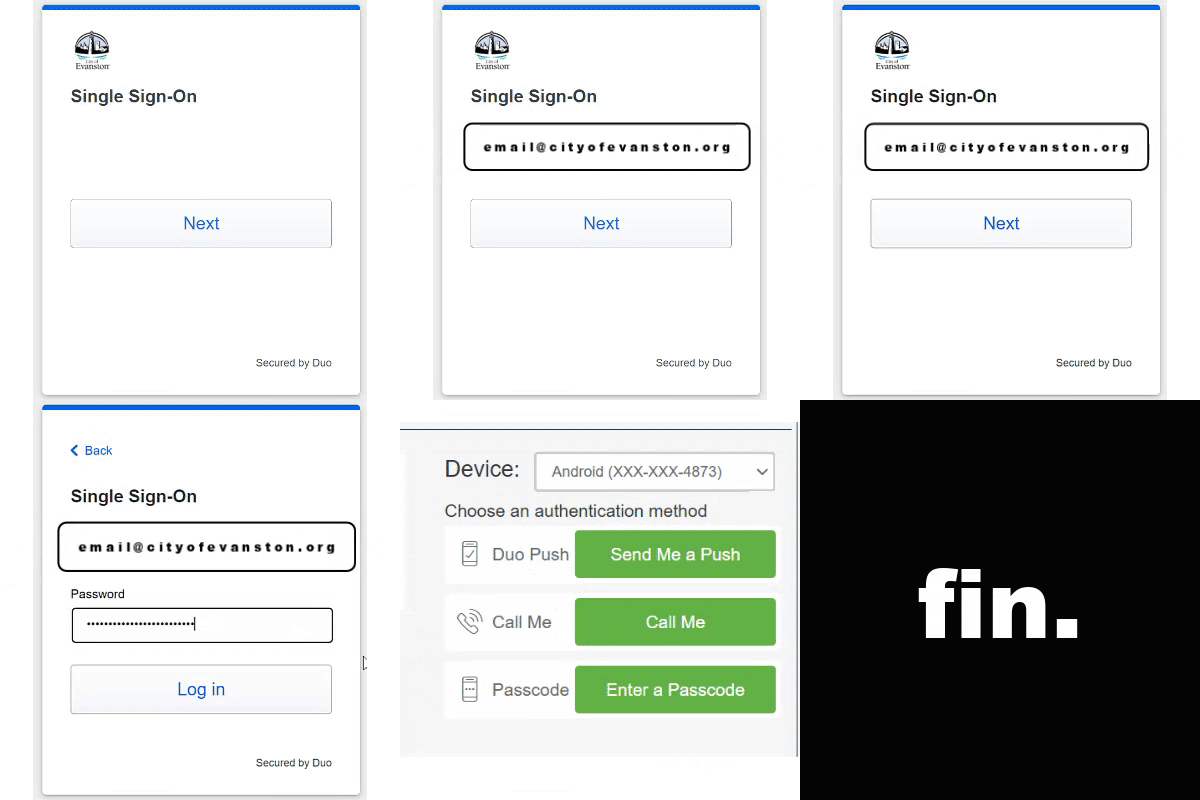


(VIDEO LOADING)
Written Instructions
1. Username & Password

2. Enter your passcode method:
push - push notification via the DUO app
sms1 - text message notification
phone - phone call notification
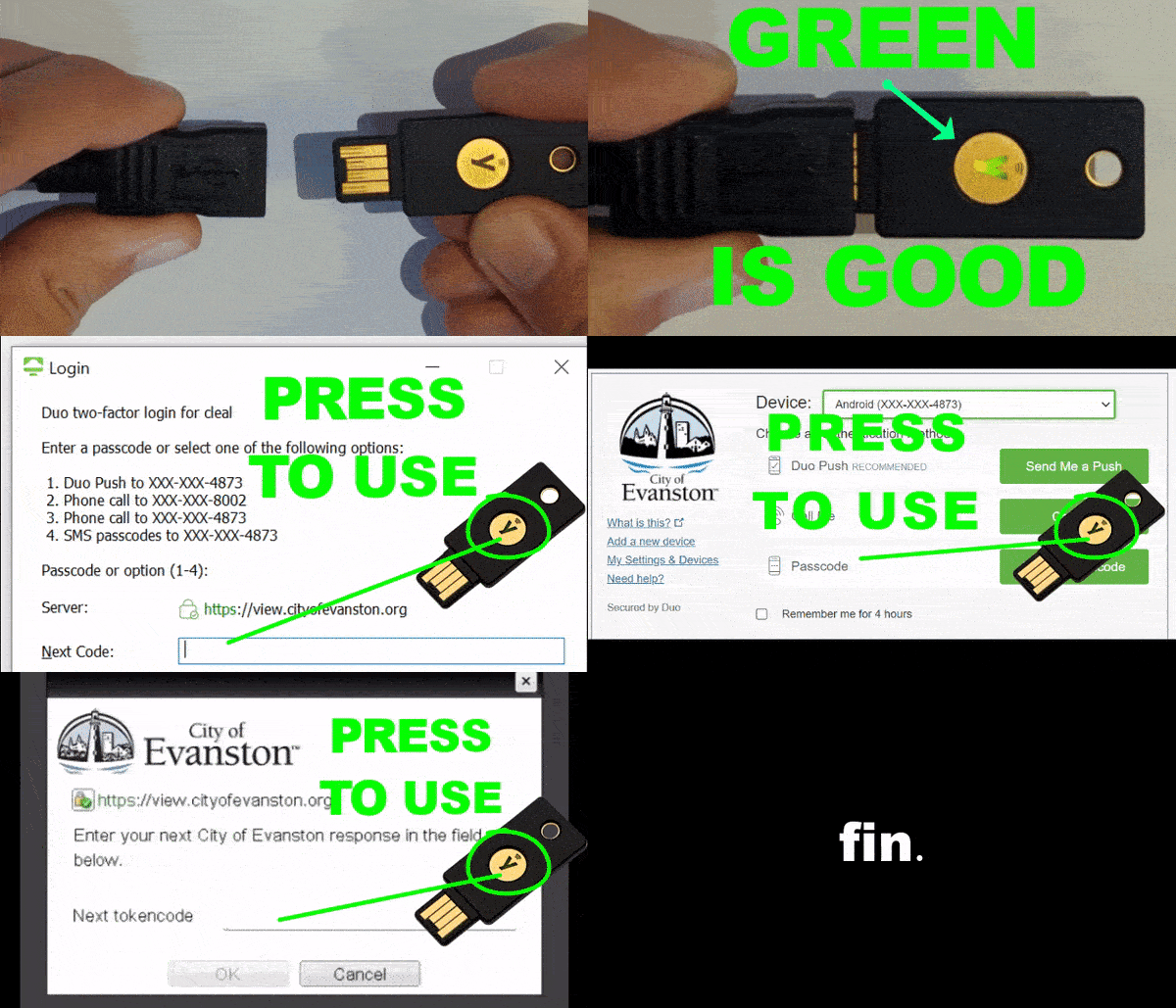
or use your Yubikey & passcodes

Virtual Desktop (HTML)
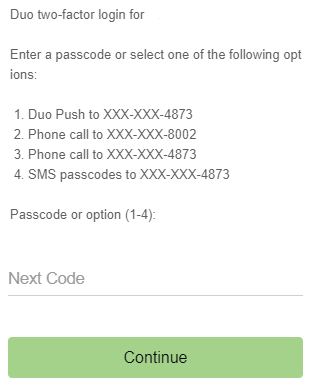
Virtual Desktop (VMWare Horizon App)

How To Use USB Key (Yubi Key)