Forget Wireless on iPad/iPhone
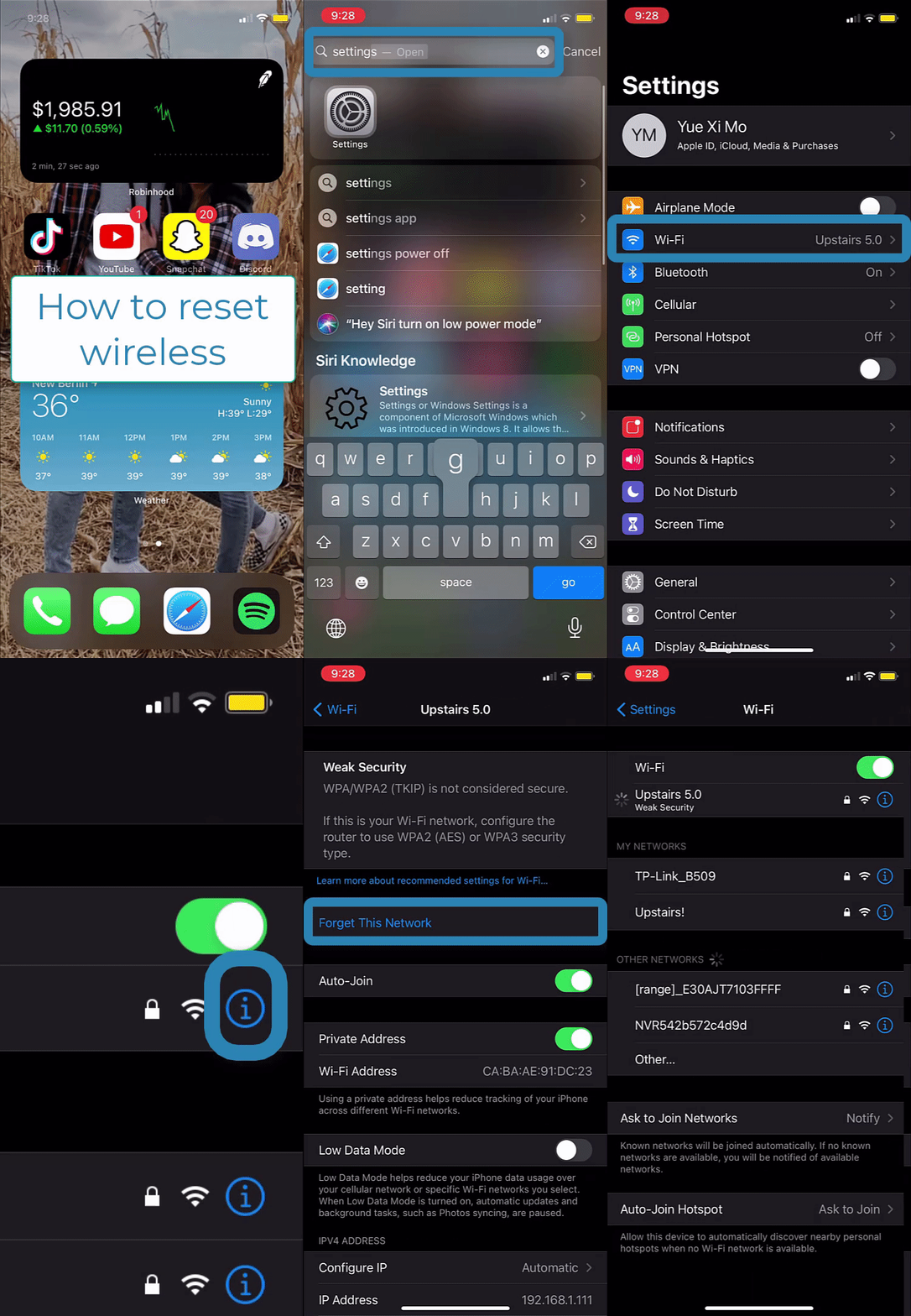
Steps:
1. Slide down to access the search
2. Type "Settings" and Select the "Settings" app 
3. Select "Wi-Fi" 
4. Select the blue "i" symbol next to the Wi-Fi network 
5. Select "Forget This Network" 
6. Select "Forget"